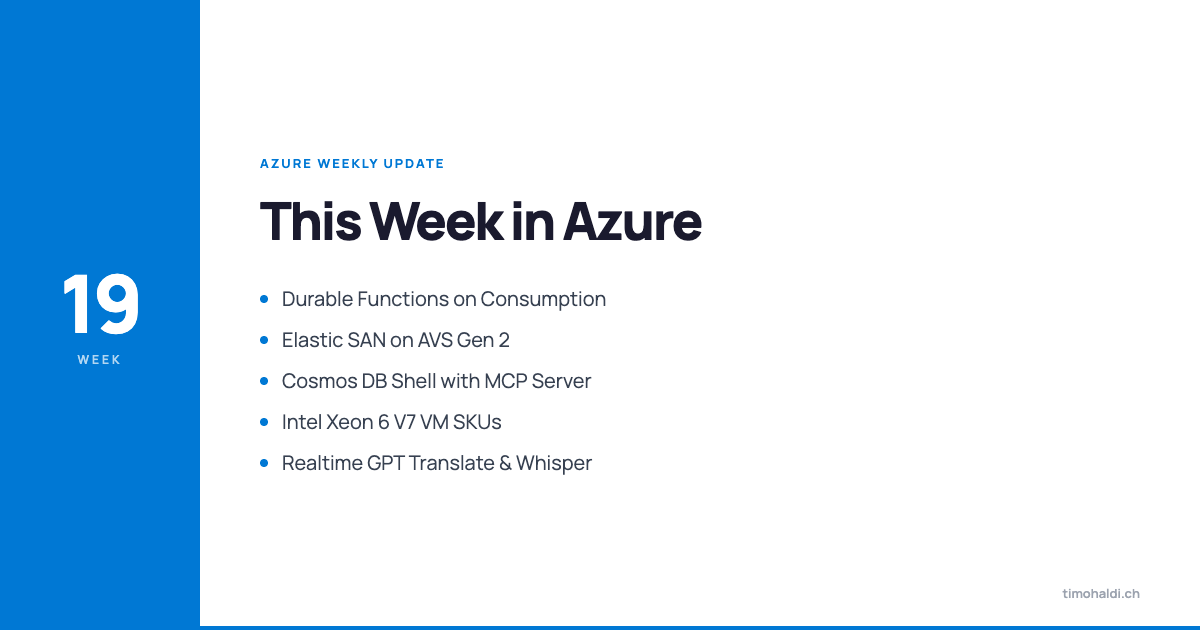
This week in Azure
A broad week with no single headline, but a lot of useful incremental moves. On compute, Azure Functions consumption now supports the durable task scheduler (so durable functions can run on a true pay-per-invocation plan), and the new V7 VM SKUs based on Intel Xeon 6 are available. On storage, Elastic SAN finally pairs with Azure VMware Solution Gen 2 private clouds without the Express Route gateway tax. On AI, Cosmos DB shell exposes an MCP server out of the box, and Foundry picked up three new realtime GPT models, including one that does live multilingual translation.
Azure Functions consumption: durable task scheduler (preview)
The Azure Functions consumption plan only bills you for action dispatch (true pay-per-invocation), which makes it ideal for event-driven workloads. Until now, if you wanted durable functions (retries, persistent state, distributed transactions, multi-agent orchestration), you needed a different hosting plan because the storage provider wasn’t compatible with consumption.
That changes with durable task scheduler support on consumption. You now get fault-tolerant code execution (persistent state, retries, long-running orchestrations) on the cheapest hosting plan Functions offers.
Before:  Consumption plan  →  Stateless functions only  Premium/Flex      →  Durable functions
After:  Consumption plan + durable task scheduler  →  Both
If you’ve been on Premium just because you needed durable functions for an otherwise low-volume workload, this gives you a path back down to consumption pricing.
Reserved VM size retirements (1-year and 3-year reservations)
Starting at the beginning of July, a batch of older VM SKUs can no longer be renewed for 1-year or 3-year reserved instances. The list includes AV2, BV1, DDS, DV2, DV3, EV3, FGS, LS, and LSM2 series. The VMs themselves keep running. This is purely about reservation renewals.
Affected SKU families (no new reservations after July): - AV2, BV1 - DDS, DV2, DV3 - EV3 - FGS - LS, LSM2If you have reservations on any of these expiring this year, plan the migration to a current SKU family before the renewal date. The hardware is aging out, and the cost story on the newer SKUs is generally better anyway.
Bulk Azure Backup VM restore (GA)
Azure Backup for VMs now supports restoring up to 100 virtual machines in a single operation. If you’re protecting VMs with Azure Backup and you need to recover from a large-scale incident (region outage, ransomware blast, accidental bulk deletion), you can kick off the recovery in batches of 100 instead of one VM at a time.
For DR runbooks, this is a real operational improvement. The recovery clock during an incident matters, and bulk operations cut down the manual coordination overhead.
Dl / D / E v7 SKUs (GA)
The V7 generation of general-purpose and memory-optimized VMs is now available, built on Intel Xeon 6 processors. Three flavors:
SKU Memory ratio Use case----- ------------ ------------------------------------Dl v7 2 GB / vCPU Low memory: web/app servers, batchD v7 4 GB / vCPU General purpose: most workloadsE v7 8 GB / vCPU Memory optimized: databases, cachesRoughly 20% better compute performance compared to the V6 generation. If you’re sizing new workloads or rotating off the V5/V6 reservations mentioned above, V7 is the current default.
UK egress data transfer changes
For Europe, egress from Azure to another cloud provider is free in some scenarios and at-cost in others. There are scoped windows where transfer credits apply. The UK is getting changes to how those scopes, services, and transfer windows are defined.
I’m not going to summarize the specifics because the rules around this matter and they’re easy to misread. If you have meaningful Azure-to-non-Azure egress out of UK regions, go and read the announcement, then contact support to verify how your specific usage will surface against the new windows.
ACS AlternateId cleanup
For Azure Communication Services, the AlternateId field on multiple-number assignments (used as part of Teams phone scenarios) was occasionally being populated with non-valid values inside customer workflows. That caused failures and inconsistent behavior, and Microsoft is now discouraging the practice.
If you have ACS workflows writing into AlternateId for something other than the supported scenario, stop. There are properly supported mechanisms for what you’re trying to do. Go find the right field for your use case.
App Gateway for Containers add-on for AKS Automatic (GA)
App Gateway for Containers is the preferred ingress and load-balancing solution for AKS container workloads. On AKS Automatic, there’s now an add-on that automatically provisions and configures it for you. No manual setup.
Before:  AKS cluster + manual App Gateway for Containers configuration
After (AKS Automatic):  Enable add-on  →  Auto-provisioned + auto-configured                    ingress and load balancing
If you’re running AKS Automatic specifically because you want less infrastructure plumbing, this is one more chunk of setup that goes away.
Azure Elastic SAN on AVS Gen 2 private clouds (GA)
Azure Elastic SAN exposes an iSCSI target (meaning it speaks IP over standard Azure networking, no fiber channel needed), and it’s built on native Azure storage. AVS Gen 2 private clouds live inside regular Azure VNets, which removes the legacy networking acrobatics (Express Route gateways between VNets) that Gen 1 required.
Put those two together and you get clean, full-throughput Elastic SAN access from AVS Gen 2:
AVS Gen 1 + Elastic SAN:  AVS  ──[ExpressRoute Gateway]──  VNet  ──  Elastic SAN       (throughput bottleneck at the gateway)
AVS Gen 2 + Elastic SAN:  AVS (in VNet)  ──────  Elastic SAN                (no gateway, full throughput)
The Express Route gateway was a real throughput constraint for storage workloads. Removing it means you can actually saturate the IOPS and bandwidth the Elastic SAN provides. This also includes support for the AV64 SKUs on AVS.
Azure Elastic SAN single volume snapshots (GA)
Point-in-time snapshots of individual Elastic SAN volumes. They’re delta-based (only the changes between snapshots are stored), so they’re space-efficient. They’re also co-located on the source SAN, which keeps them fast to take and fast to restore.
The “co-located on the source SAN” part is worth noting: this is operationally efficient, but it isn’t a separated backup. For ransomware or full-SAN-loss scenarios you still want a separate backup (Azure Backup support for Elastic SAN landed in CW18). Use snapshots for operational rollback, backup for disaster recovery.
Azure NetApp Files: backup enabled by default
For new ANF volumes, backup is now enabled by default at volume creation time. You can opt out, but the default behavior is now “protect first, opt out if you really need to”, which is the right direction for storage that often holds production data.
If you’re using infrastructure-as-code for ANF, double-check your templates: you might be opting out implicitly if the property is set to false by default in your module.
Premium SSD v2 in all three Japan West availability zones (GA)
Premium SSD v2 is the better disk option in Azure for most workloads: sub-millisecond latency, IOPS and throughput priced separately from capacity, and dynamically adjustable without redeploying the disk. It’s now available in all three availability zones in Japan West, which means you can build zone-redundant deployments using PSSDv2 in that region.
Cosmos DB spherical quantization
Cosmos DB now supports spherical quantization, an advanced vector compression technique for vector indexes. The goal is to preserve search quality while reducing the storage footprint and speeding up both indexing and queries.
For RAG and vector-search workloads on Cosmos DB, this is a free performance win. No fidelity trade-off, just better efficiency.
Cosmos DB shell with built-in MCP server (preview)
A new open-source, bash-like CLI for working with Cosmos DB. Two interesting bits:
- You navigate your database hierarchy like a file system.
cdinto a database,lscontainers, run SQL inline. Available on Windows, macOS, and Linux. - The shell exposes an MCP server.
Local AI assistant ──[MCP]──→ Cosmos DB shell ──→ Your databaseThat MCP server is the more interesting part. If you’re building local AI agents or using a Claude/Copilot setup that supports MCP, your agent can now talk to your Cosmos DB through the shell without you wiring up custom tool calls. The shell becomes the universal access layer for both humans and agents.
SQL MI Business Critical: right-size memory (preview)
SQL Managed Instance Business Critical now supports flexible memory. You can customize the vCPU-to-memory ratio independently and only pay for the memory you actually use. This has been available on the non-Business-Critical tiers for a while; now BC catches up.
It’s an online operation, so the change applies without a maintenance window, though there’s a brief blip during the failover that swaps the underlying memory configuration. Plan around that small window if you have very latency-sensitive callers.
GPT-chat-latest in Foundry (GA)
GPT-chat-latest (which under the hood is GPT-5.5 instant) is now available in Foundry. It’s tuned specifically for chat, retrieval, and tool-integrated workflows. The pitch is large gains in factual accuracy, tool calling reliability, and response efficiency compared to general-purpose models.
If you’re building an application that does multi-turn conversation with strong instruction following and external tool use, this is the model to test against your existing baseline.
Azure Document Intelligence v3 API retirement
The v3 API for Azure Document Intelligence is being retired in 2029. You have time, but if you’re starting new work, build against v4. If you have existing v3 integrations, schedule the migration into your roadmap so it doesn’t become a panic in 2028.
Three new realtime GPT models in Foundry
OpenAI shipped three new realtime models and they’re available in Foundry:
Model Capability----- ---------------------------------------------GPT realtime translate Live multilingual translationGPT realtime whisper Speech-to-text transcription (multilingual)GPT realtime 2 Reasoning-capable speech-to-speech modelTogether, the translate + whisper pair give you live multilingual capabilities: transcription and translation as they happen. Useful for live events, customer support across languages, and any real-time interaction where language is a barrier.
The more interesting one is GPT realtime 2. It’s a speech-to-speech model with adjustable reasoning depth, and it can introduce filler phrases (“good question, let me think about that”) while it works through a problem internally. Sounds gimmicky but it’s doing real work: filling silence with natural-sounding speech while the model reasons keeps the interaction feeling natural rather than dead-air-then-answer.
For voice agents handling complex queries, that interaction quality matters as much as accuracy. A correct answer after 8 seconds of silence feels broken. A correct answer with natural pacing feels like talking to a person.
Final thoughts
The two updates most likely to change something concrete this week:
Elastic SAN on AVS Gen 2. If you have AVS workloads that need block storage and you’ve been working around the Gen 1 networking constraints, the Gen 2 + Elastic SAN combination is much cleaner. The Express Route gateway throughput cap was a real problem for storage-heavy workloads.
Durable functions on consumption. Quiet but consequential. Premium Functions plans exist primarily to support stateful scenarios. Cutting that requirement for many workloads is a real cost lever. Worth re-running the numbers on any Premium plans you have that exist mostly for durable functions support.
The realtime GPT models are interesting to watch but the “wow factor” on voice agents has been overblown for two years now. Pick a real use case and test before getting excited about the model itself.
Sources
- John Savill, “Azure Update - 8th May 2026,” YouTube, https://www.youtube.com/watch?v=wdYy3sLnfHA