This week in Azure
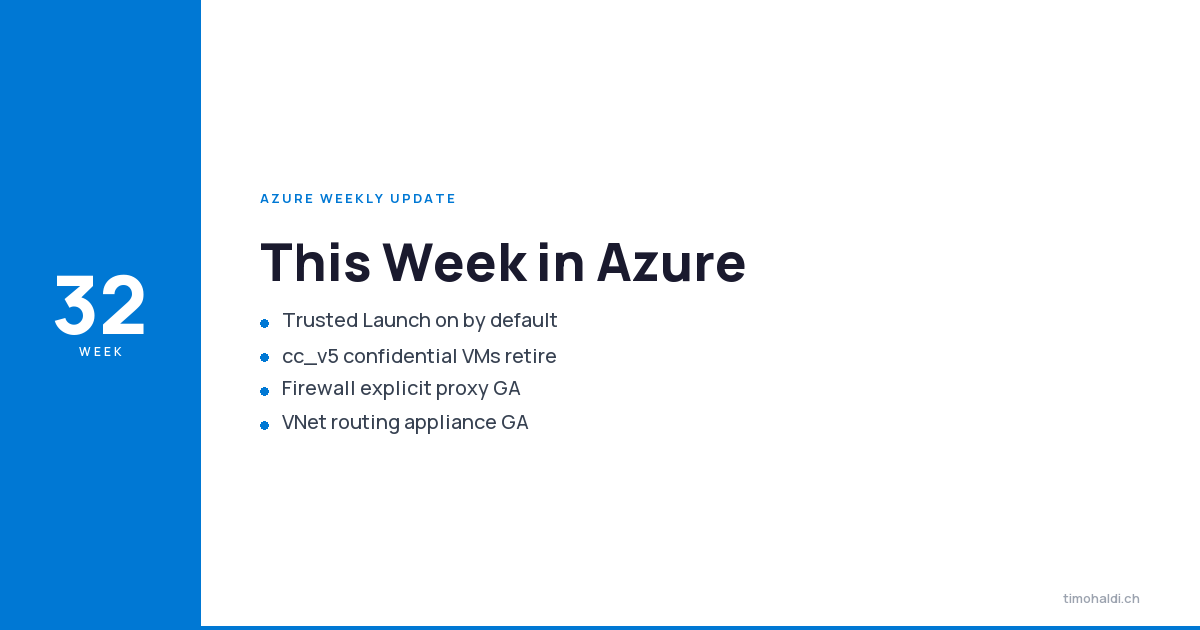
One deadline and one default worth your attention. The cc_v5 confidential VM series retires on September 1st, 2026 — that is under four weeks from this post, and unresized VMs get deallocated. If you run nested confidential VMs, stop reading and go check.
The default is Trusted Launch, now on for new Gen2 VMs. Quiet change, broad blast radius, mostly in a good direction.
Networking had the volume this week: the Virtual Network routing appliance went GA, Firewall picked up explicit proxy, and Private Link gained IPv6 and cross-perimeter links.
Compute
Nested confidential cc_v5 VMs retire September 1st, 2026
The cc_v5 confidential VM series will be retired on September 1st, 2026 and will no longer be available for use or purchase. Affected VMs not resized before that date will be deallocated.
The impacted sizes: DCas_cc_v5, DCads_cc_v5, ECas_cc_v5 and ECads_cc_v5.
Deallocated, not degraded. If you have these running, resize them now. This is the shortest-fuse item in any weekly I have written this year.
Trusted Launch as Default (GA)
Trusted Launch as Default is generally available for new Azure Gen2 virtual machines and scale sets. Secure Boot and vTPM are enabled automatically on supported deployments, at no additional cost.
The rollout is uneven and you need to know which side you are on. VMs deployed through the portal, Azure CLI and Azure PowerShell get Trusted Launch by default now. Deployments through ARM templates, Bicep, Terraform and the Azure SDKs need a one-time subscription registration to get the same behaviour.
Read that again if you deploy infrastructure as code, because it means your Terraform-managed estate does not pick this up automatically. Existing VMs are unchanged and any explicitly configured security settings are honoured.
Do the subscription registration. A security default that only applies to click-ops is worse than no default at all — it guarantees your portal-deployed test VMs are harder than your production landing zone.
Networking
Azure Virtual Network routing appliance (GA)
The Azure Virtual Network routing appliance is generally available. It provides private connectivity across virtual networks on dedicated hardware rather than VMs, which is where the numbers come from: provisioned bandwidth tiers up to 200 Gbps per instance.
What you get beyond throughput: dual-stack and IPv6 at scale including IPv6 ACL enforcement, global and cross-region private endpoint support through a single appliance, fully managed with built-in HA and availability-zone resilience, and throughput, packet and flow metrics.
The “scale-out private access through a single appliance” line is the one that changes designs. Private endpoint sprawl across regions is a genuinely painful problem, and consolidating it is worth more than the bandwidth headline.
Explicit proxy in Azure Firewall (GA)
Azure Firewall explicit proxy is generally available. Applications and browsers send HTTP and HTTPS directly to the firewall via proxy settings, instead of you steering traffic with routes.
Microsoft cites 300+ subscriptions and roughly 40 S500 customers during preview, and the GA build includes feedback from it: a single proxy endpoint now serves both HTTP and HTTPS destinations, plus managed-identity-based configuration.
It also covers Azure Arc, which is the quietly useful part. Arc extends the Azure control plane onto machines that usually sit behind a corporate proxy, and pointing that at Azure Firewall means one less separate proxy to run and audit.
Route-based steering works until you have an application that needs different egress treatment than the subnet it sits in. Explicit proxy makes that an application decision rather than a routing-table decision. Cleaner boundary.
Private Link over IPv6, and perimeter links (preview)
Two Private Link previews.
Private Link over IPv6 lets you reach Azure PaaS services such as Storage and SQL Database over IPv6 private endpoints, from IPv6 clients in a virtual network or from on-premises over ExpressRoute.
Perimeter link enables cross-perimeter connectivity: trusted resources in two different network security perimeters communicate using managed identity, without additional NSP access rules or network configuration changes. Zero Trust boundaries stay intact while service-to-service access across perimeters becomes possible.
Perimeter link is the more interesting of the two. NSP has been excellent at drawing a boundary and awkward about anything that legitimately needs to cross one, which pushed people into exceptions. An identity-based crossing is the right answer.
Azure DNS and Traffic Manager integration (preview)
Azure DNS can now associate a record set directly with a Traffic Manager profile, no CNAME to trafficmanager.net required.
Two benefits, and the second is the real one. You drop a CNAME hop, so lookups are faster. And removing the unsigned trafficmanager.net domain from the lookup chain makes load-balanced records DNSSEC compatible.
If DNSSEC was blocking you from putting Traffic Manager in front of a record, that blocker is gone.
Azure ExpressRoute resiliency guard (preview)
ExpressRoute resiliency guard is in preview for ExpressRoute virtual network gateways. A new resiliency model property declares whether a gateway is intended to be single-homed or multi-homed. For multi-homed gateways it guides you toward either two circuits in different peering locations or an ExpressRoute Metro circuit, with portal guidance and configuration safeguards that flag incomplete setups.
Declaring intent and having the platform check it beats discovering during an outage that your “redundant” ExpressRoute terminates in one peering location.
Database and storage
Immutable backups on Azure SQL (GA)
Azure SQL Database and SQL Managed Instance now automatically apply immutability to the most recent seven days of backups. Enabled by default, on every database, regardless of your configured point-in-time restore retention. No action required.
This is ransomware protection you get without asking, which is the best kind. Hyperscale support is noted as coming in a future release, so check that if you run it.
Regex-based dynamic data masking on Azure SQL (preview)
Dynamic data masking gains pattern-based masking, extending the built-in feature to hide emails, phone numbers and identifiers by regex, enforced centrally at the database layer.
The previous DDM implementation covered fixed formats and fell apart on anything custom, which meant masking logic leaked into applications. Central enforcement is where it belongs.
Azure Storage Mover: AWS FSx for Windows File Server (preview)
Azure Storage Mover adds agentless migration from AWS FSx for Windows File Server (SMB) to Azure Files (SMB), in preview. No migration agent to deploy; data copies directly from FSx to your Azure file share over a private connection between Azure and your AWS network.
Three constraints to size against: private connectivity is required rather than optional, the source has to speak SMB 2.x or above, and a single job handles up to 500 million objects — beyond that you split it into multiple jobs.
Following the S3 and GCS work earlier this year, the agentless cloud-to-cloud story is now reasonably complete.
Azure Databricks: Unity AI Gateway and SharePoint connector (GA)
Unity AI Gateway is generally available on Azure Databricks. Built on Unity Catalog, it is the AI control plane for Databricks: every inference and every MCP request flows through it, which is what makes rate limits, quotas and policy enforceable rather than advisory. You get full observability including token cost, across both Databricks-hosted models and external ones.
Note the pattern. That is the second AI gateway to reach a milestone in two weeks, after AI Gateway in API Management last week. Two different surfaces, same conclusion: nobody wants ungoverned model calls anymore.
The SharePoint connector also went GA, ingesting SharePoint files into Databricks through Lakeflow Connect with incremental ingestion, Unity Catalog governance and multiple authentication methods.
Separately, free usage of Genie One and Genie Agents is extended through January 31st, 2027, up from July 31st, 2026. Users only — service principals are still billed, and Genie Code is excluded beyond its 150 free DBUs per user per month.
Final thoughts
Go check for cc_v5 VMs. September 1st, 2026, deallocated if unresized, four weeks out. Nothing else this week has a deadline like that.
Then do the Trusted Launch subscription registration. The default is good and free, but as shipped it applies to portal and CLI deployments and skips your infrastructure-as-code path until you register. Almost everything that matters in your estate is deployed by the path that does not get it automatically. Ten minutes, one subscription-level action, and your Terraform-managed VMs get Secure Boot and vTPM like everything else.
The immutable SQL backups need nothing from you, which is worth knowing precisely because it means you can stop carrying that item on a risk register.
Related deep dives
- Azure Cloud Foundation: The Boring Stuff That Matters — where a security default like Trusted Launch belongs in the baseline
- Azure Governance: Policy to Compliance — catching the cc_v5 estate with policy instead of a spreadsheet
- Building a Governed AI Platform on Microsoft Foundry — the same conclusion Unity AI Gateway reaches, built out end to end
Sources
- John Savill, “Azure Update 7th August 2026,” YouTube, https://www.youtube.com/watch?v=nys8Uj16gbI
- “Secure by default: Trusted Launch as Default is now generally available,” Microsoft Security Blog, https://techcommunity.microsoft.com/blog/microsoft-security-blog/secure-by-default-trusted-launch-as-default-is-now-generally-available/4541672
- “Azure Virtual Network routing appliance overview,” Microsoft Learn, https://learn.microsoft.com/en-us/azure/virtual-network/virtual-network-routing-appliance-overview
- “Explicit proxy in Azure Firewall,” Microsoft Learn, https://learn.microsoft.com/en-us/azure/firewall/explicit-proxy
- “Azure Private Link over IPv6,” Microsoft Learn, https://learn.microsoft.com/en-us/azure/private-link/private-link-ipv6
- “Perimeter links overview,” Microsoft Learn, https://learn.microsoft.com/en-us/azure/private-link/perimeter-links-overview
- “DNS-based load balancing with Traffic Manager linked records,” Microsoft Learn, https://learn.microsoft.com/azure/dns/dns-traffic-manager-linked-records
- “Automatic backup immutability,” Microsoft Learn, https://aka.ms/auto-immutability
- “Regex-based dynamic data masking,” Microsoft Learn, https://learn.microsoft.com/en-us/azure/azure-sql/database/dynamic-data-masking-regex
- “Migrate from AWS FSx for Windows File Server to Azure Files,” Microsoft Learn, https://learn.microsoft.com/en-us/azure/storage-mover/amazon-files-azure-files-migration
- “AI governance with Unity AI Gateway,” Microsoft Learn, https://learn.microsoft.com/en-us/azure/databricks/ai-gateway/ai-governance
- “Azure ExpressRoute resiliency guard,” Microsoft Learn, https://aka.ms/ResiliencyGuardPreview